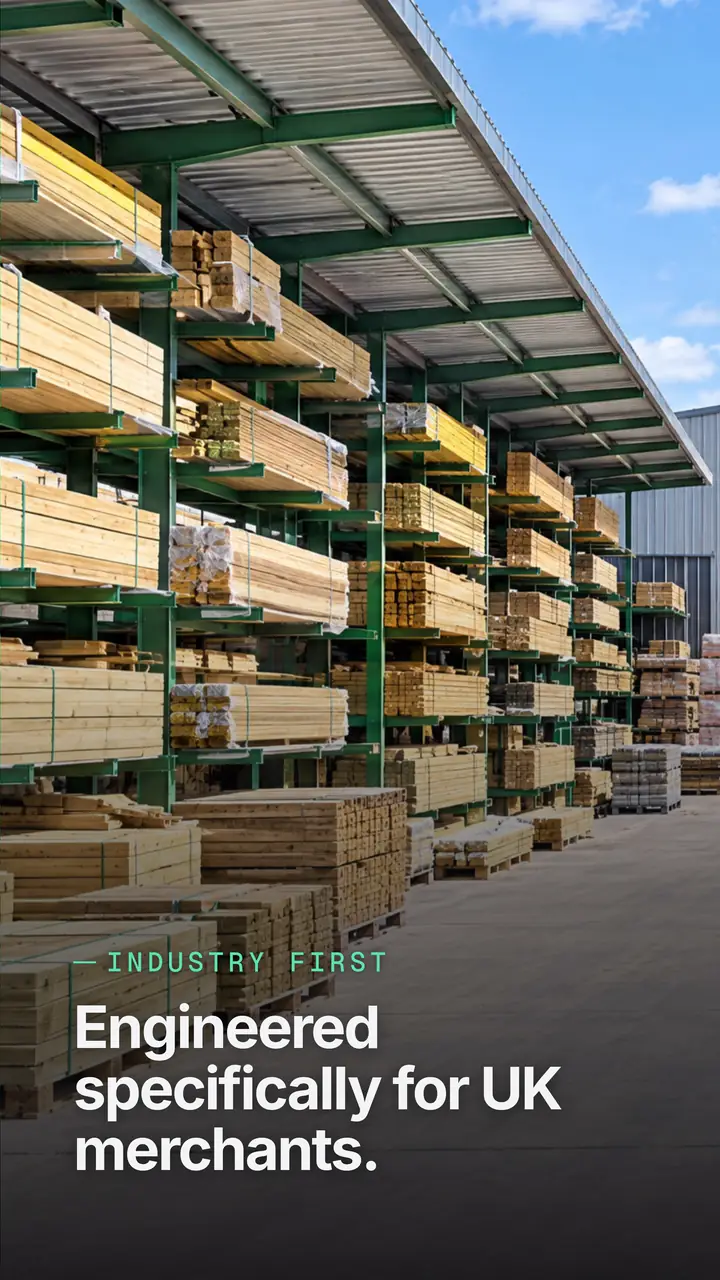

A builders merchant's yard with timber racks and pallets of bricks.

Scroll to play

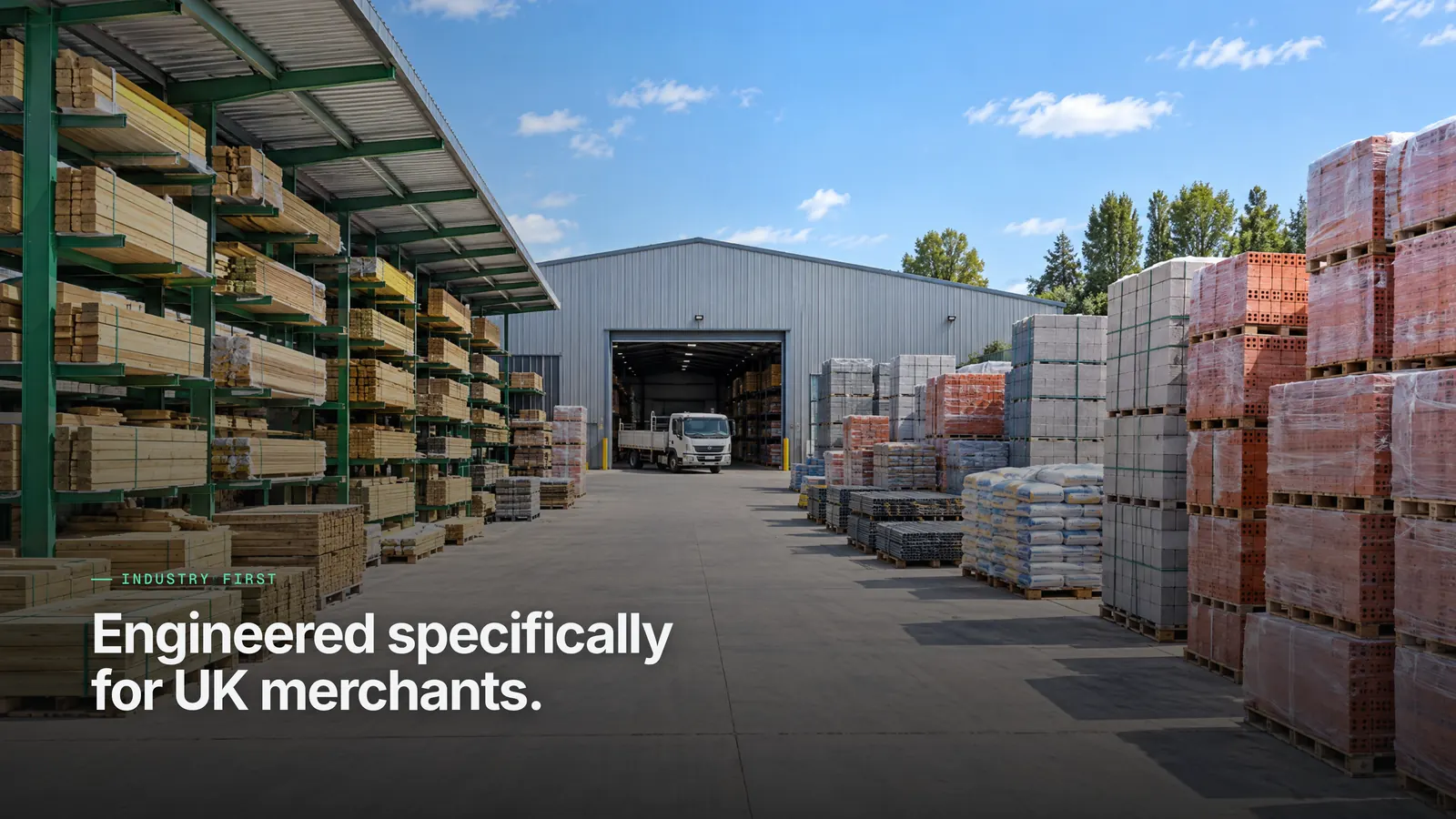
  1. A real UK builders merchant's yard, with timber racks and pallets of bricks. Engineered specifically for UK merchants.
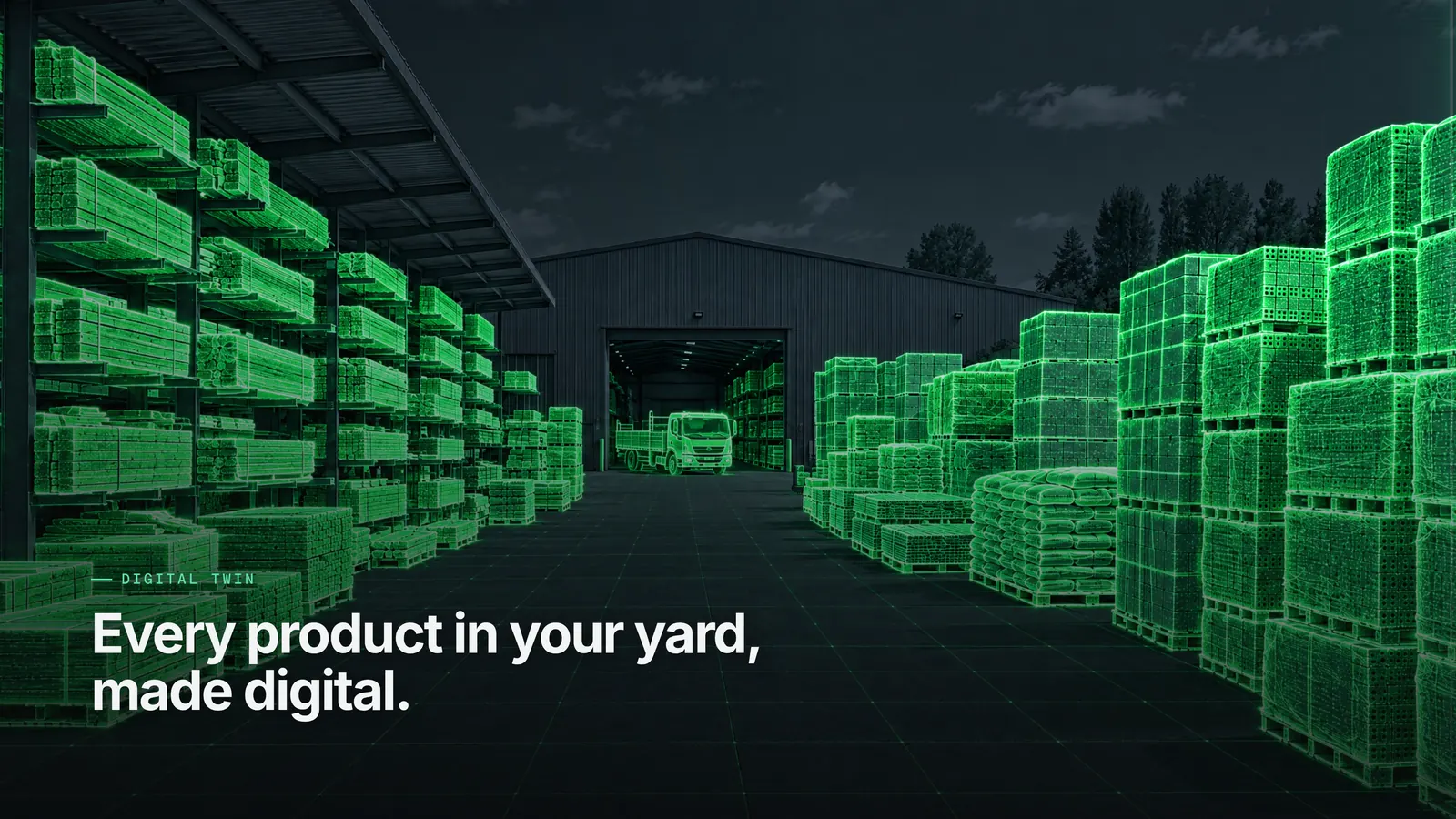
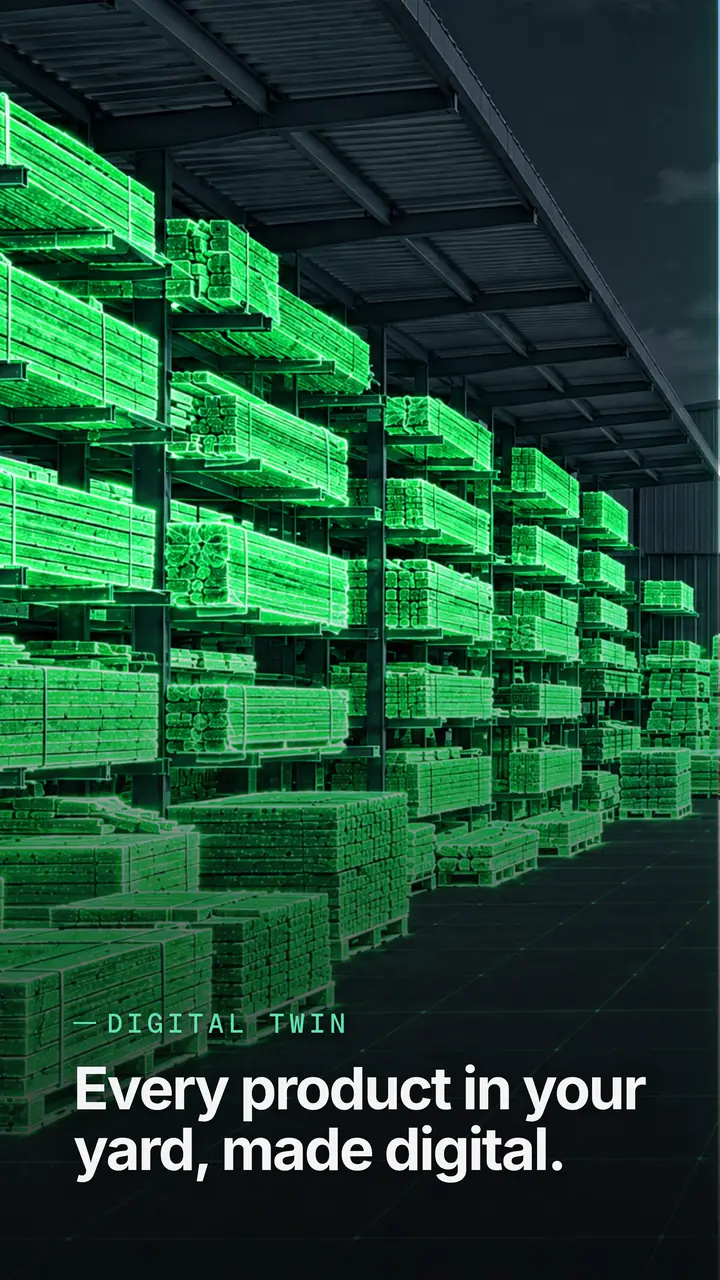
  2. The same yard as a glowing digital twin: every product in your yard, made digital.
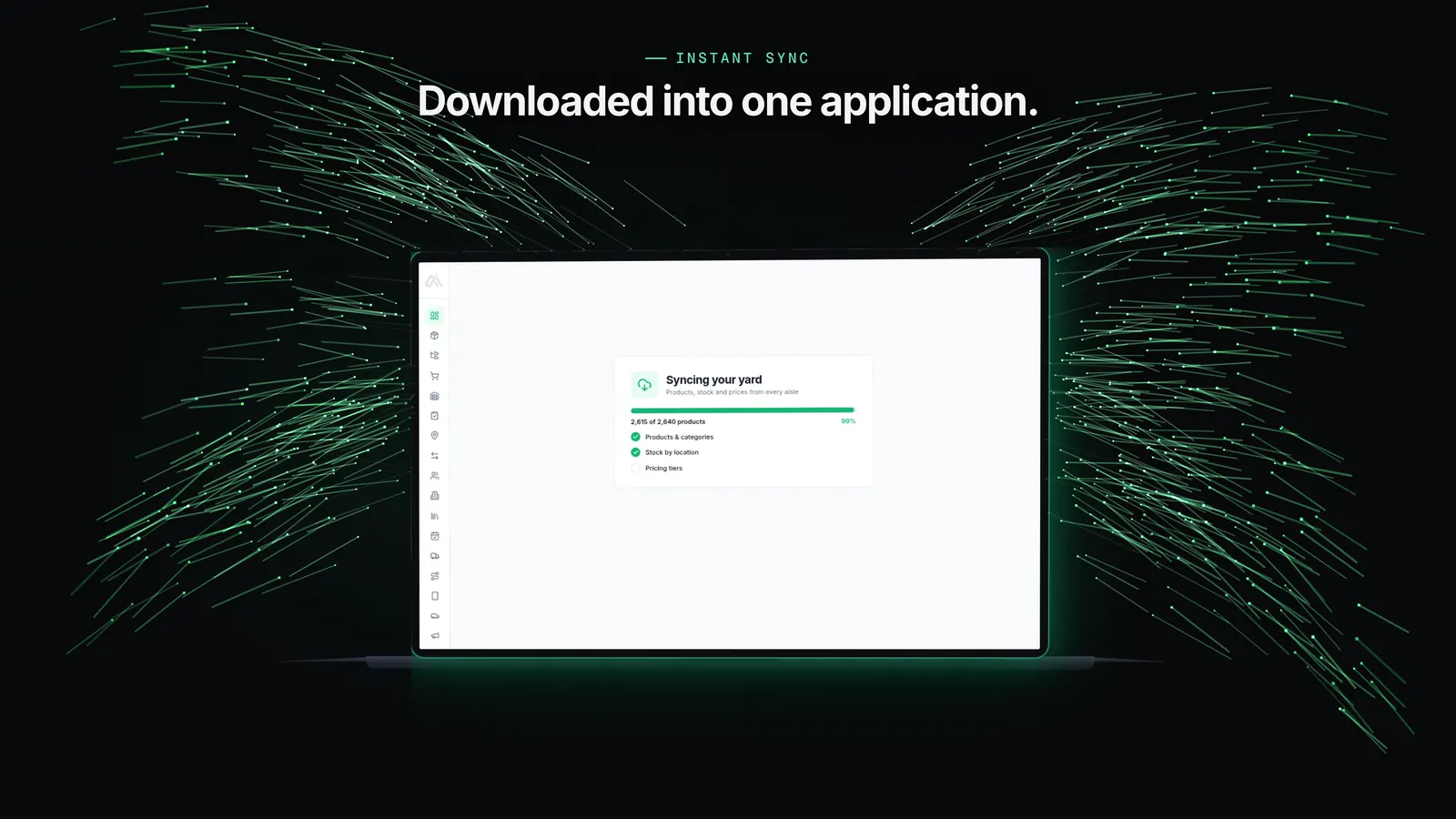
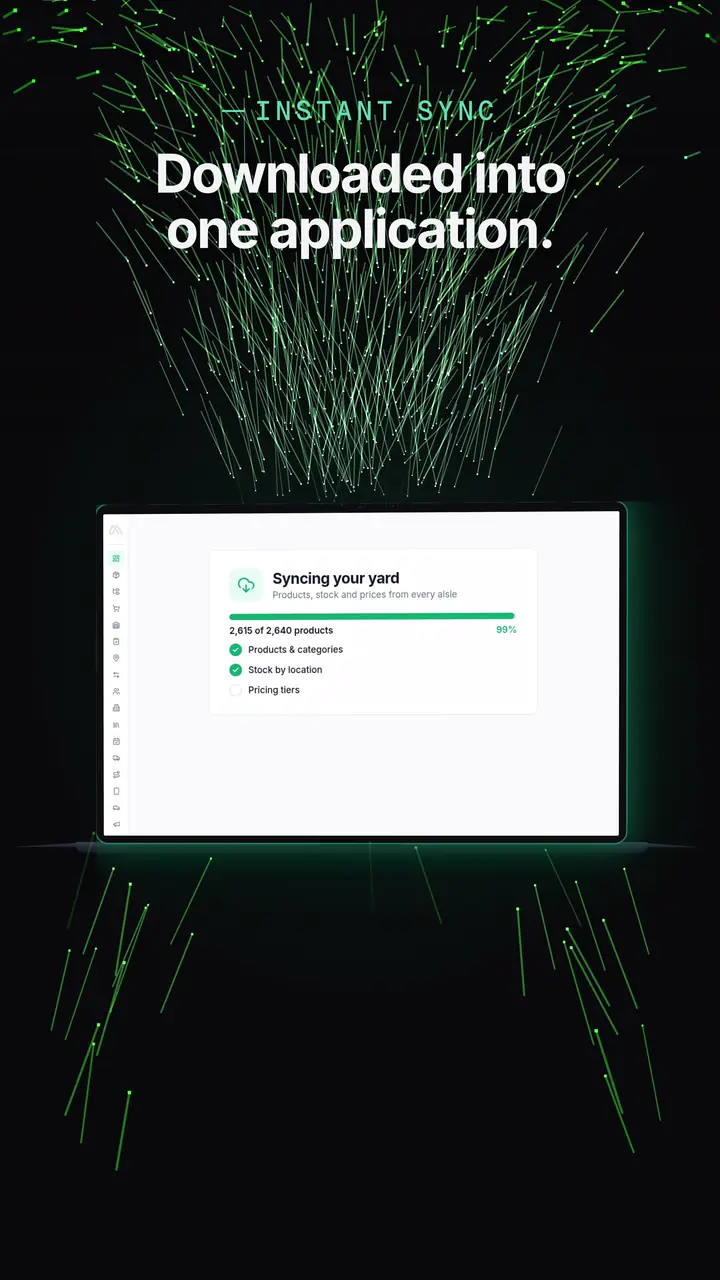
  3. The digital yard streams into a laptop that shows a sync screen: downloaded into one application.
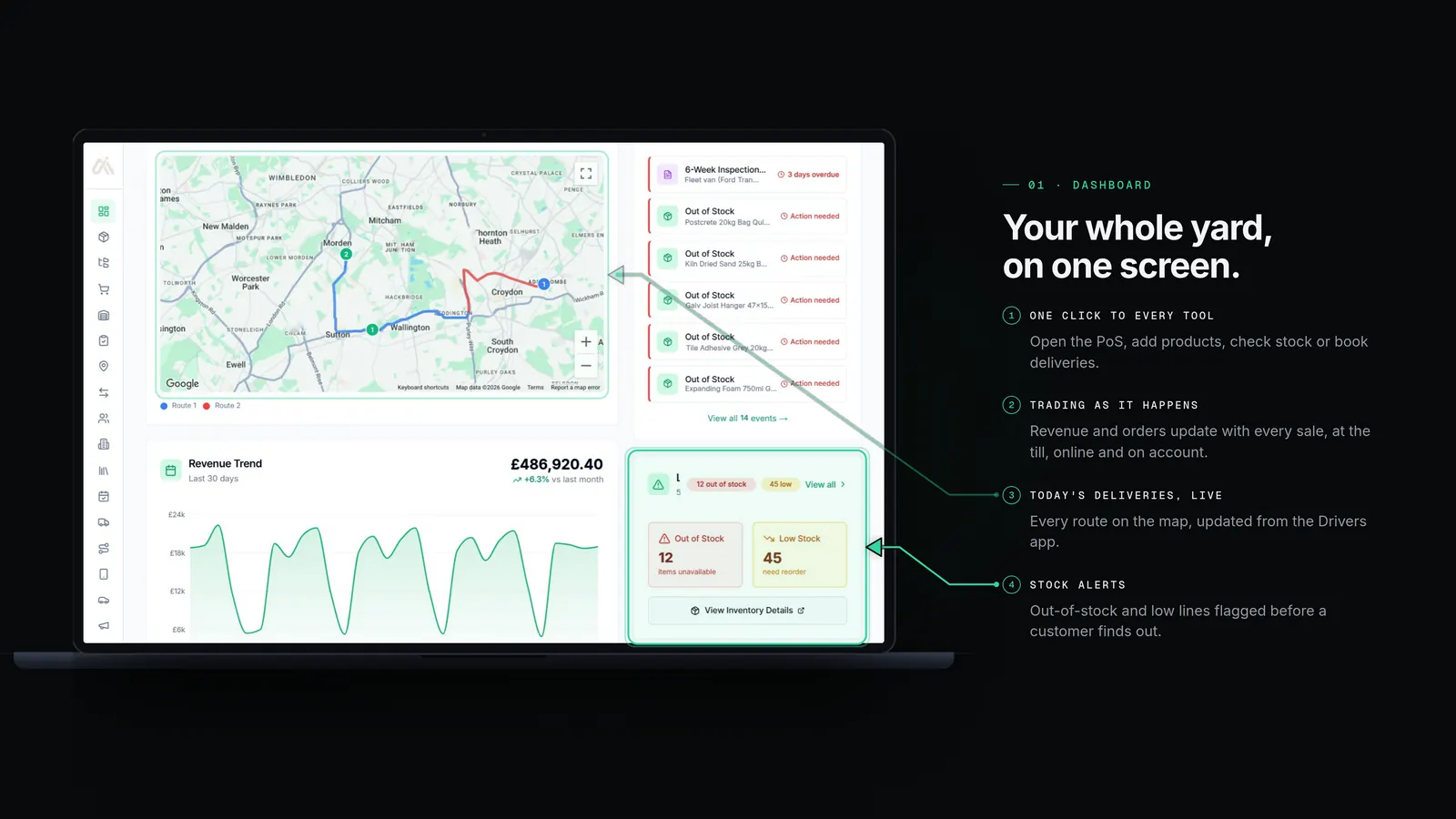
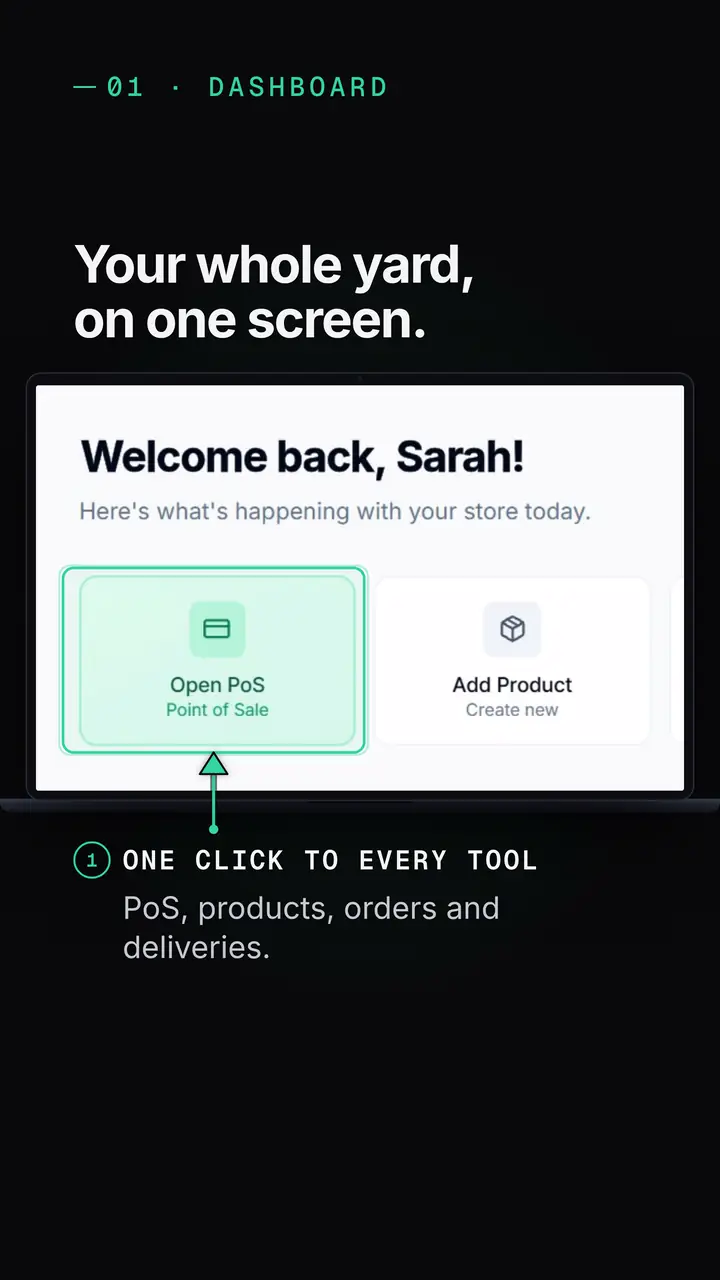
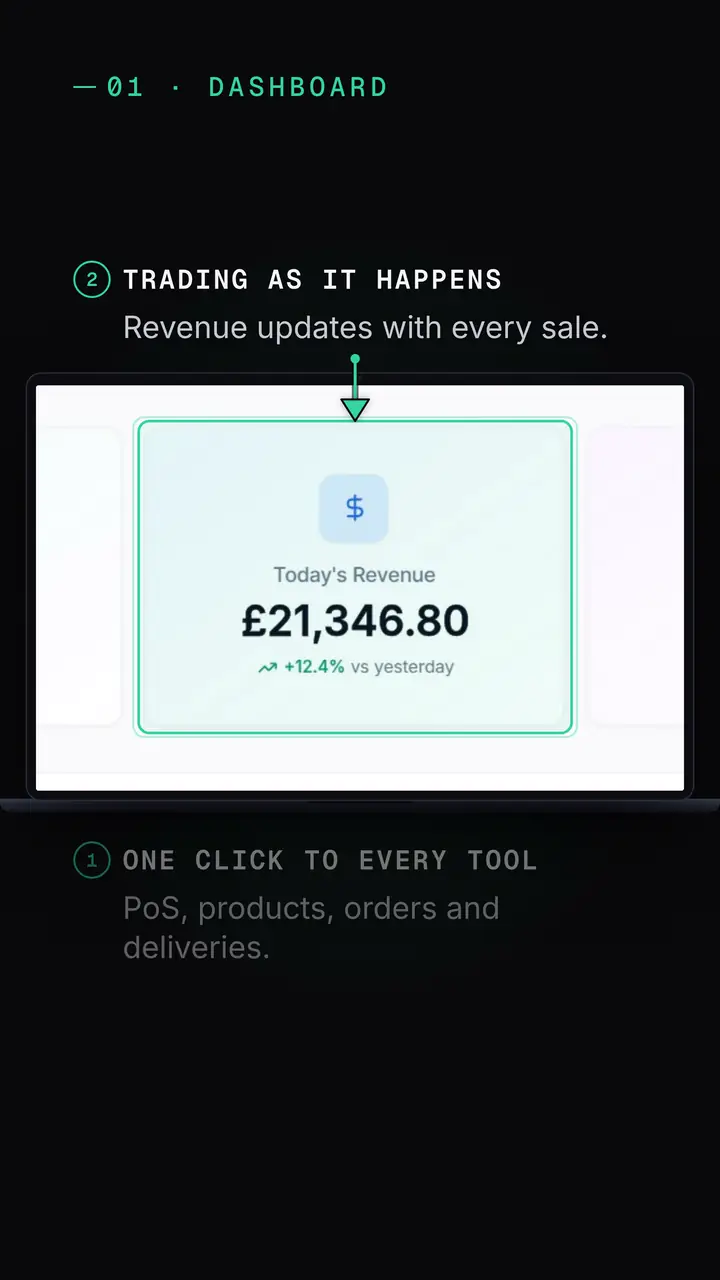
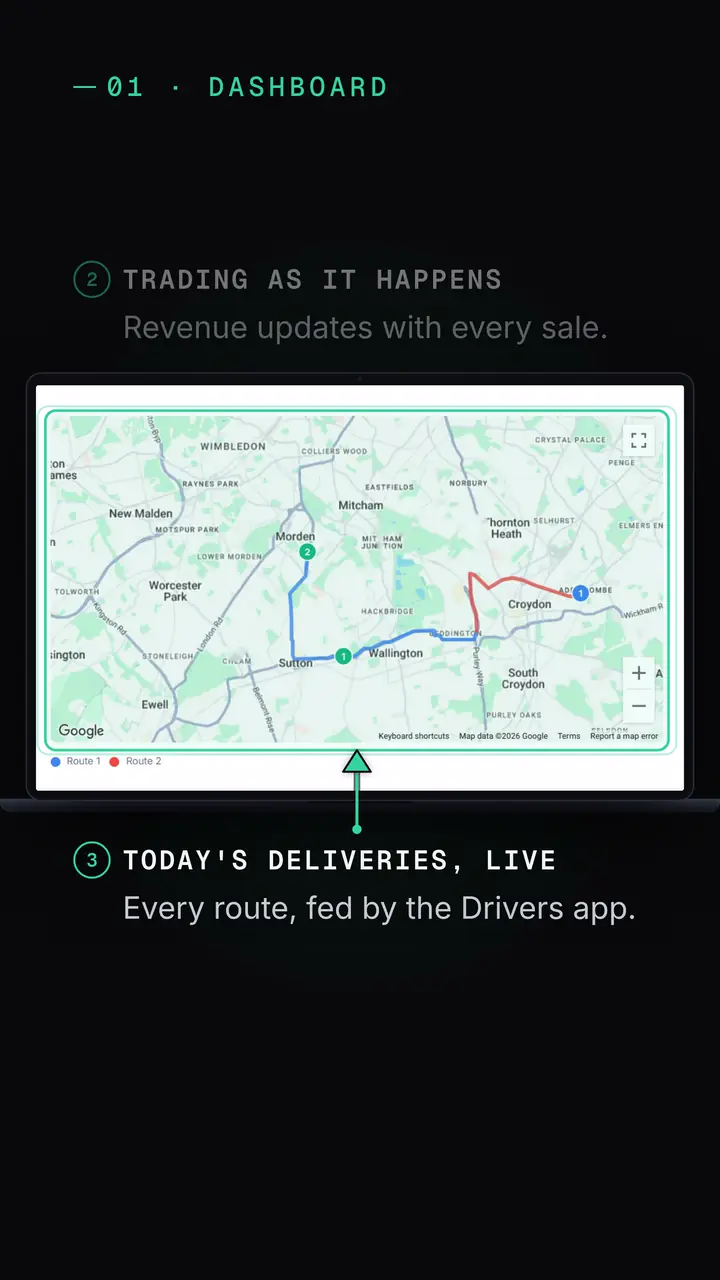
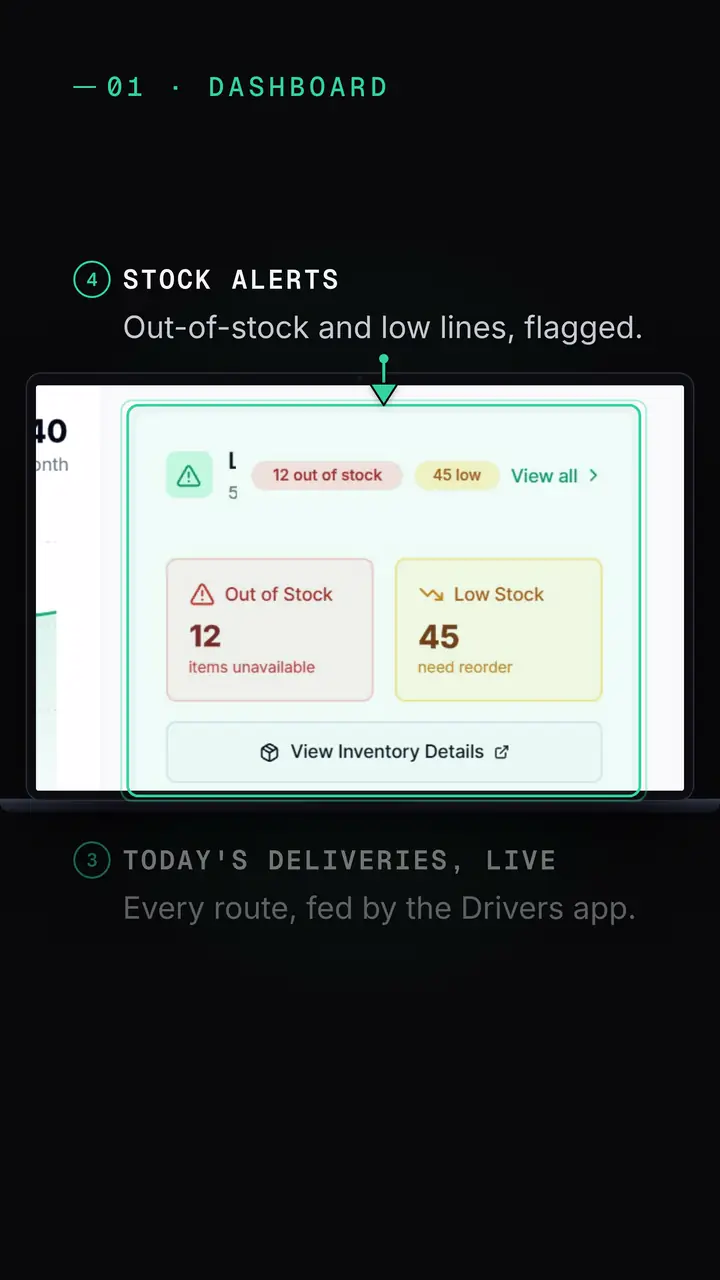
  4. The AI Merchant dashboard, with callouts on one-click tools, today's revenue, the live deliveries map and stock alerts.
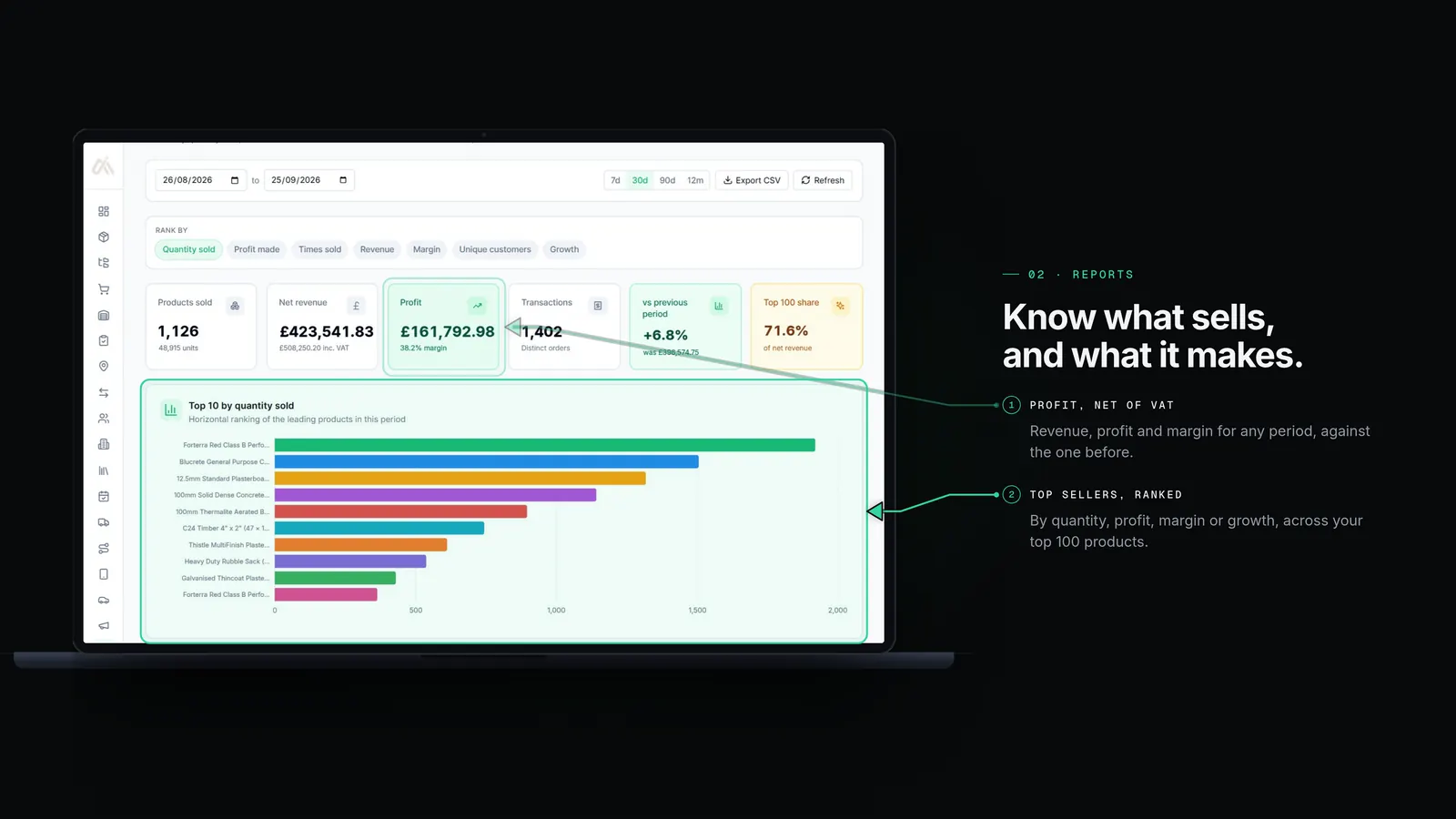
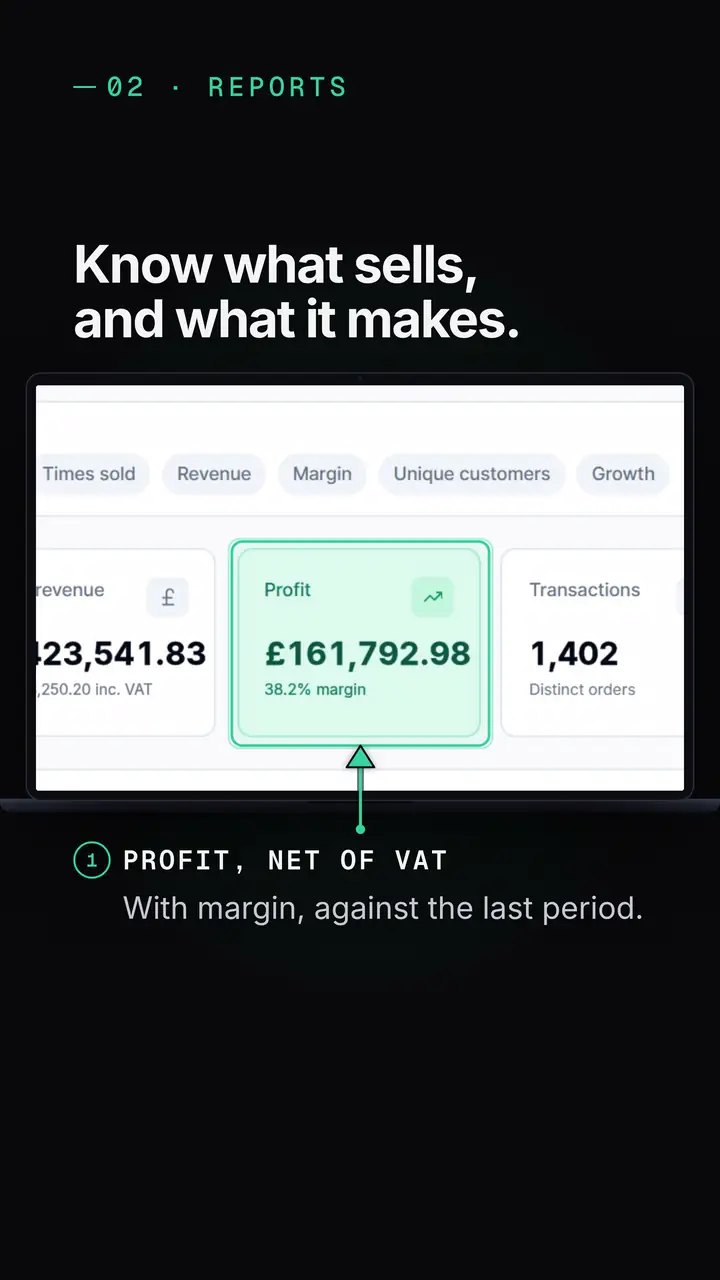
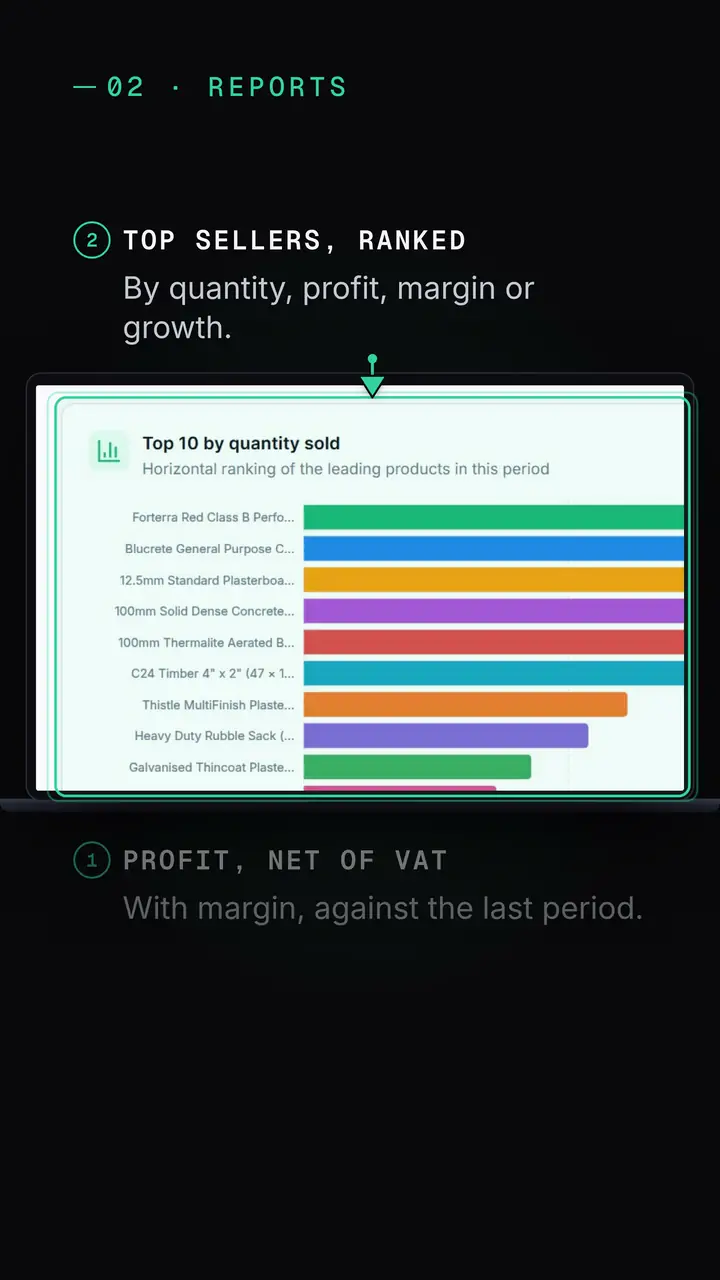
  5. The Top 100 Products report, with callouts on profit net of VAT and the top sellers chart.
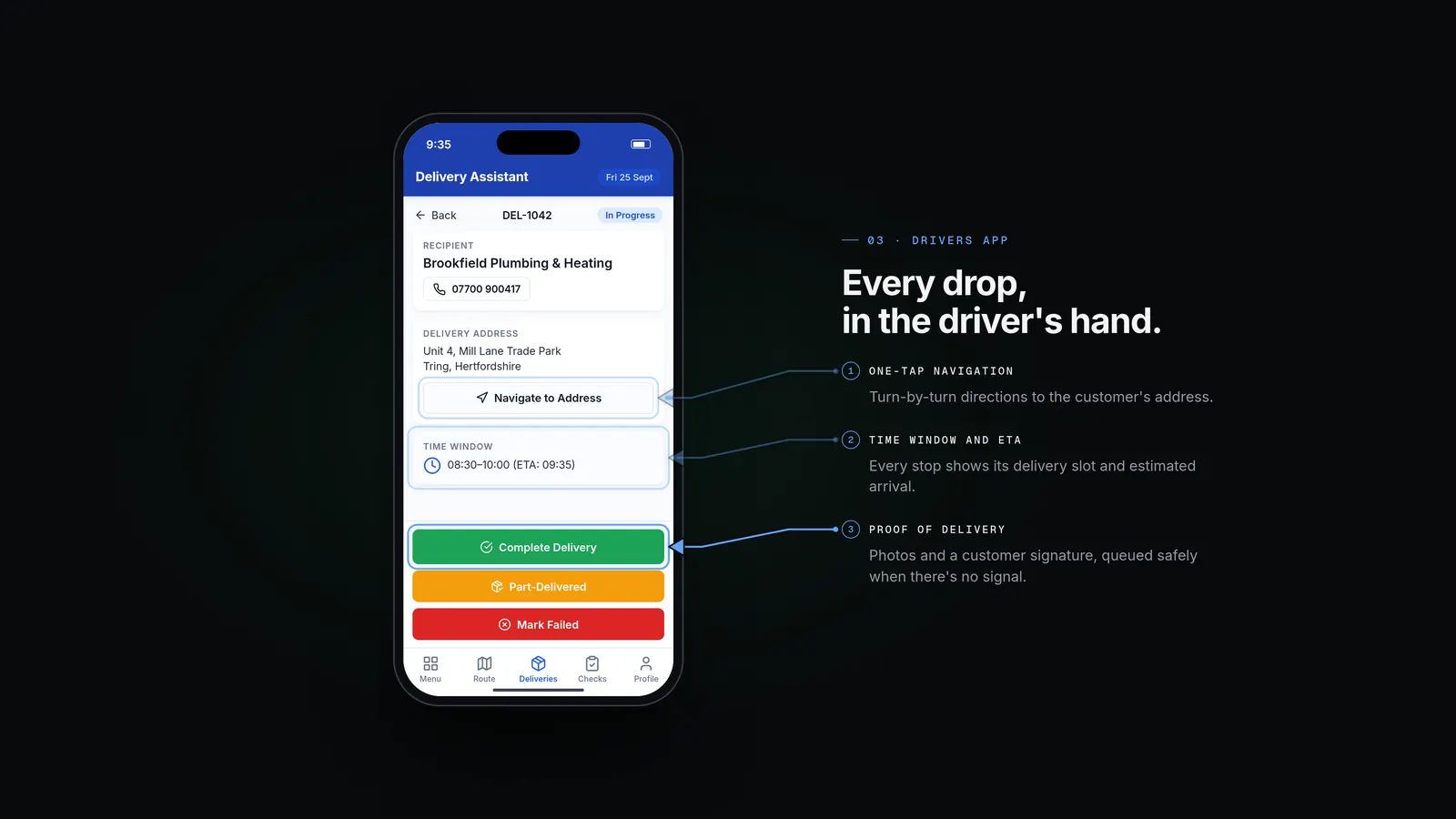
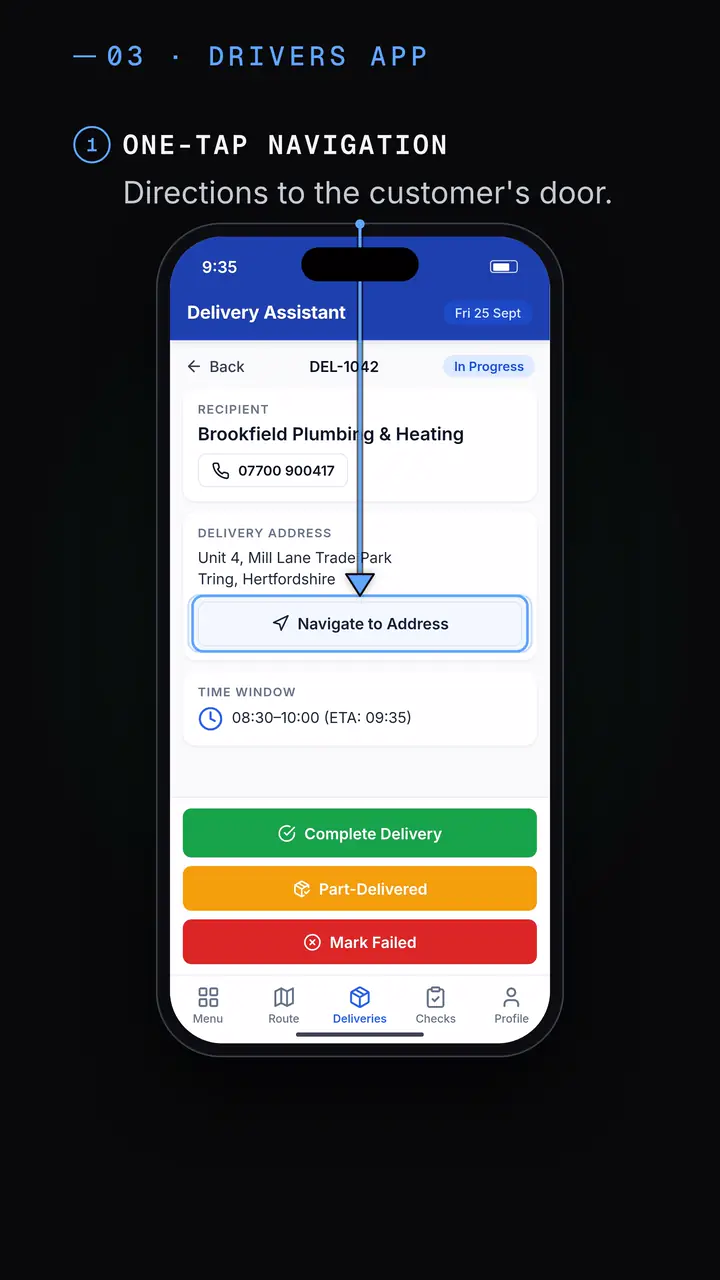
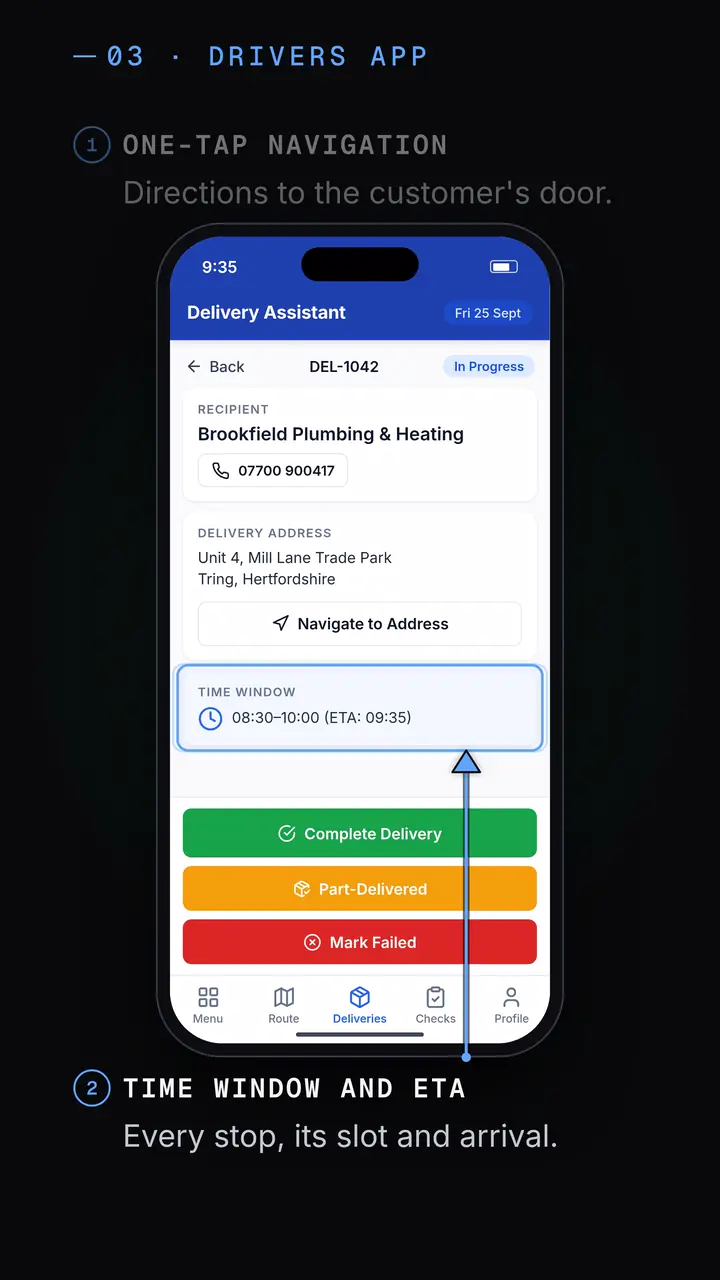
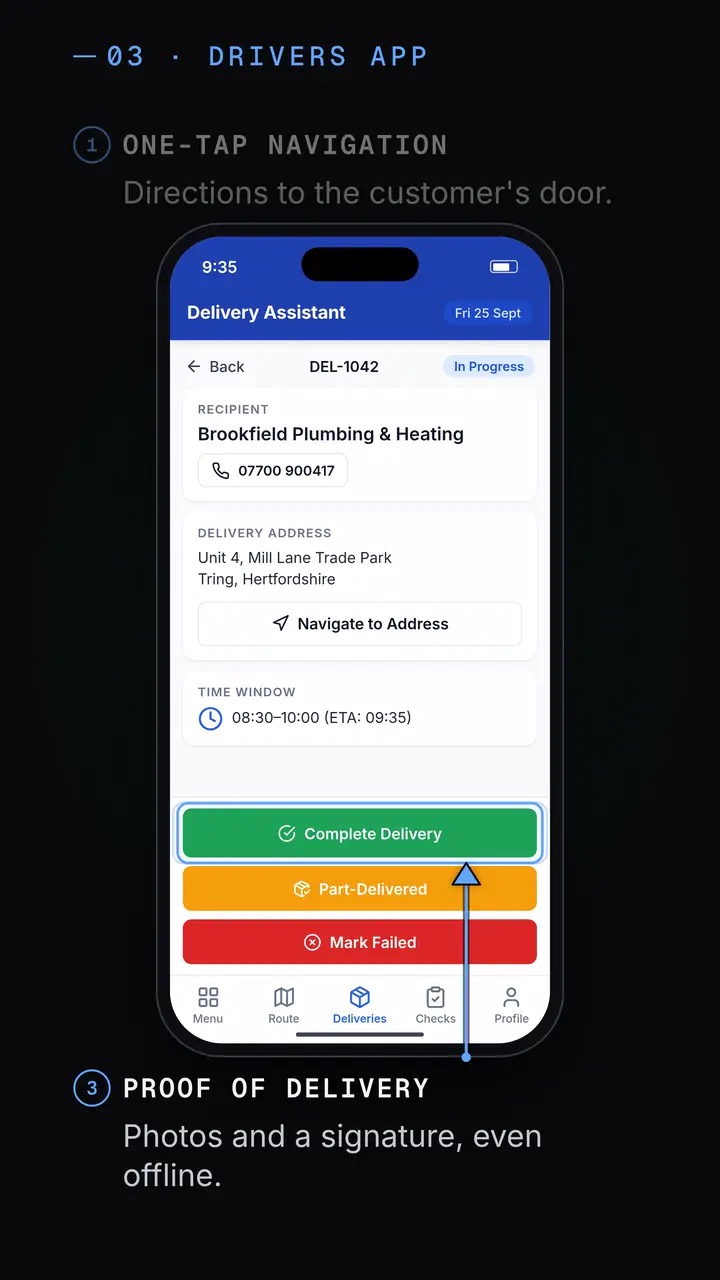
  6. The Drivers app stop screen, with callouts on one-tap navigation, the time window and ETA, and proof of delivery.
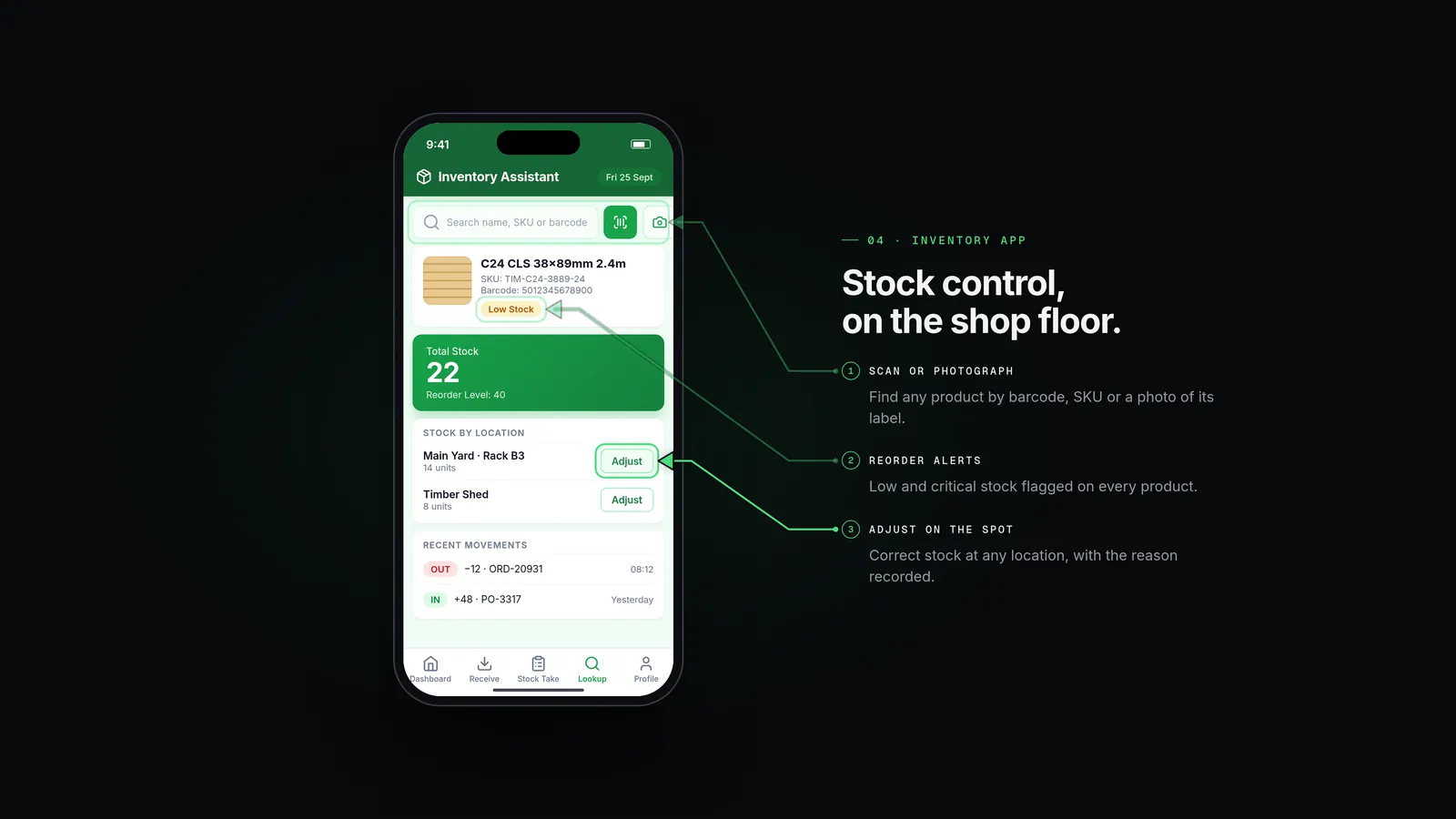
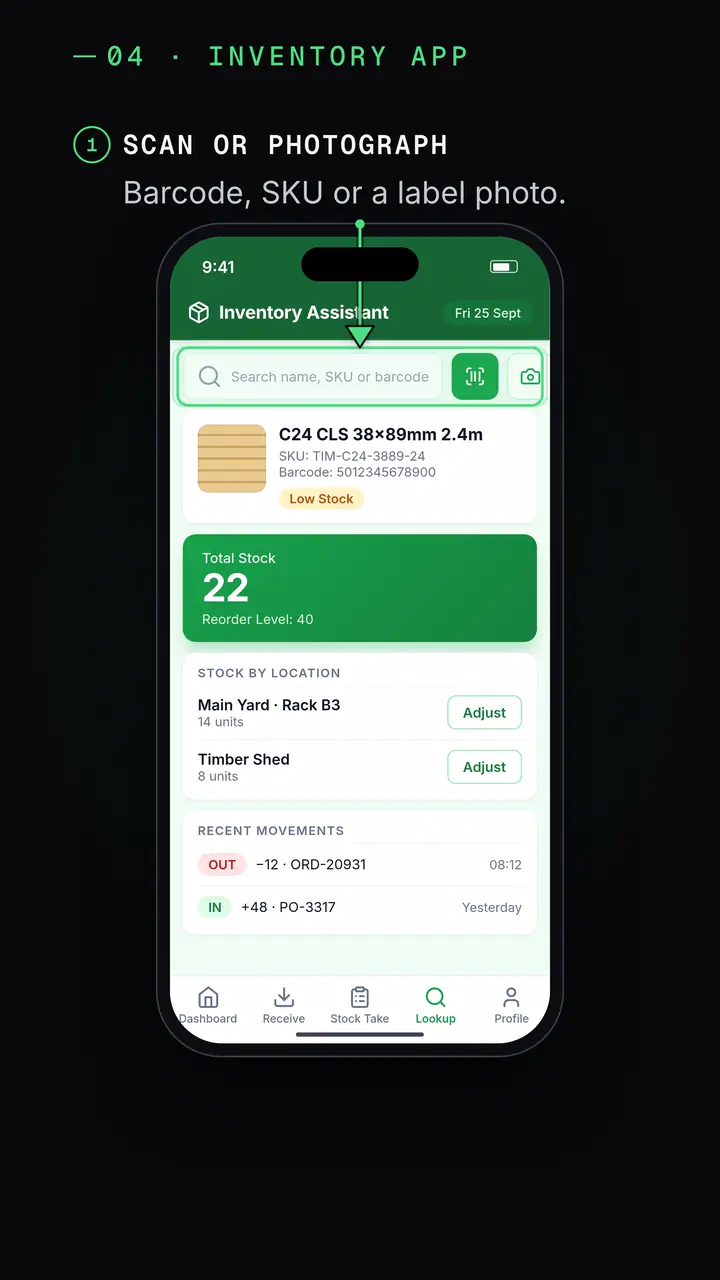
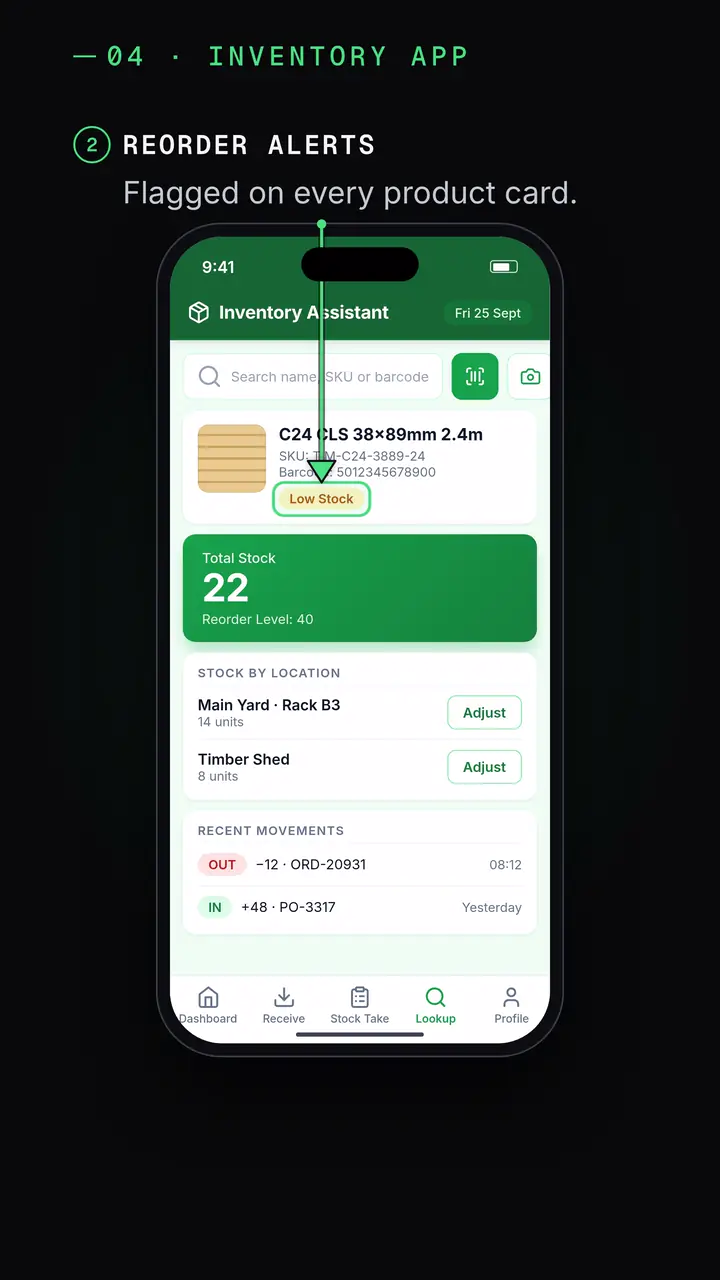
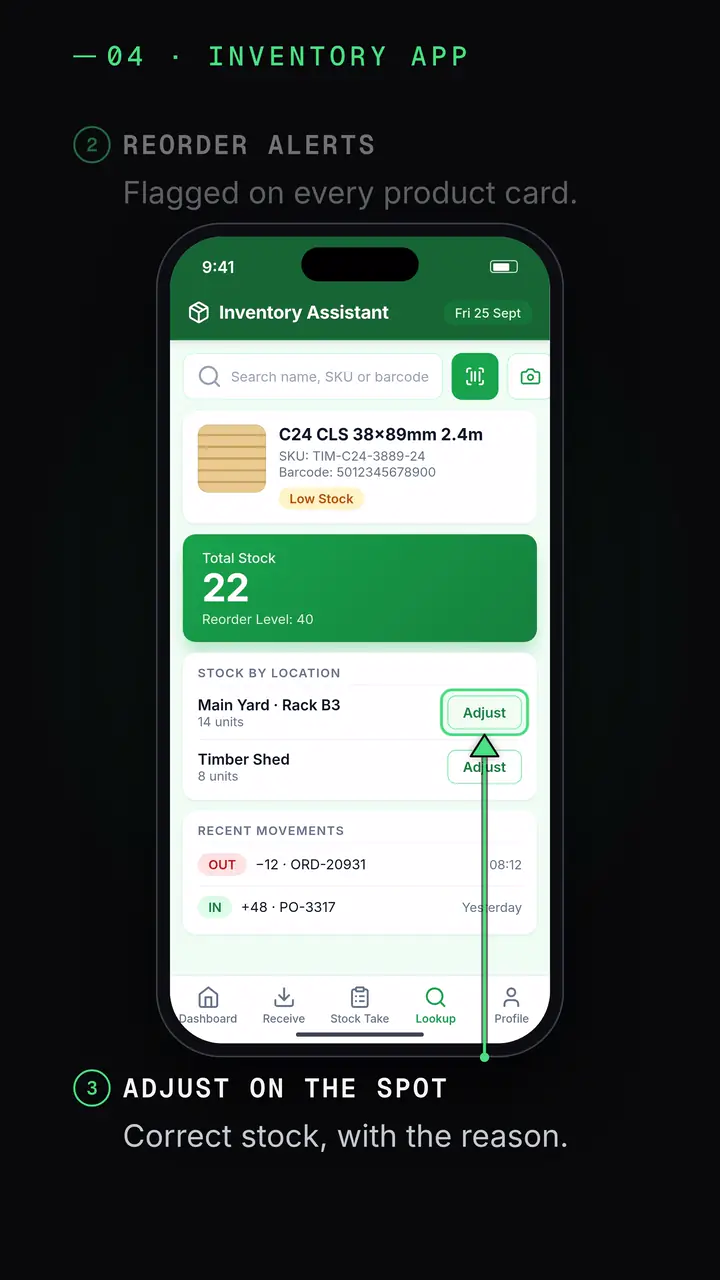
  7. The Inventory app product lookup, with callouts on scanning, reorder alerts and adjusting stock on the spot.
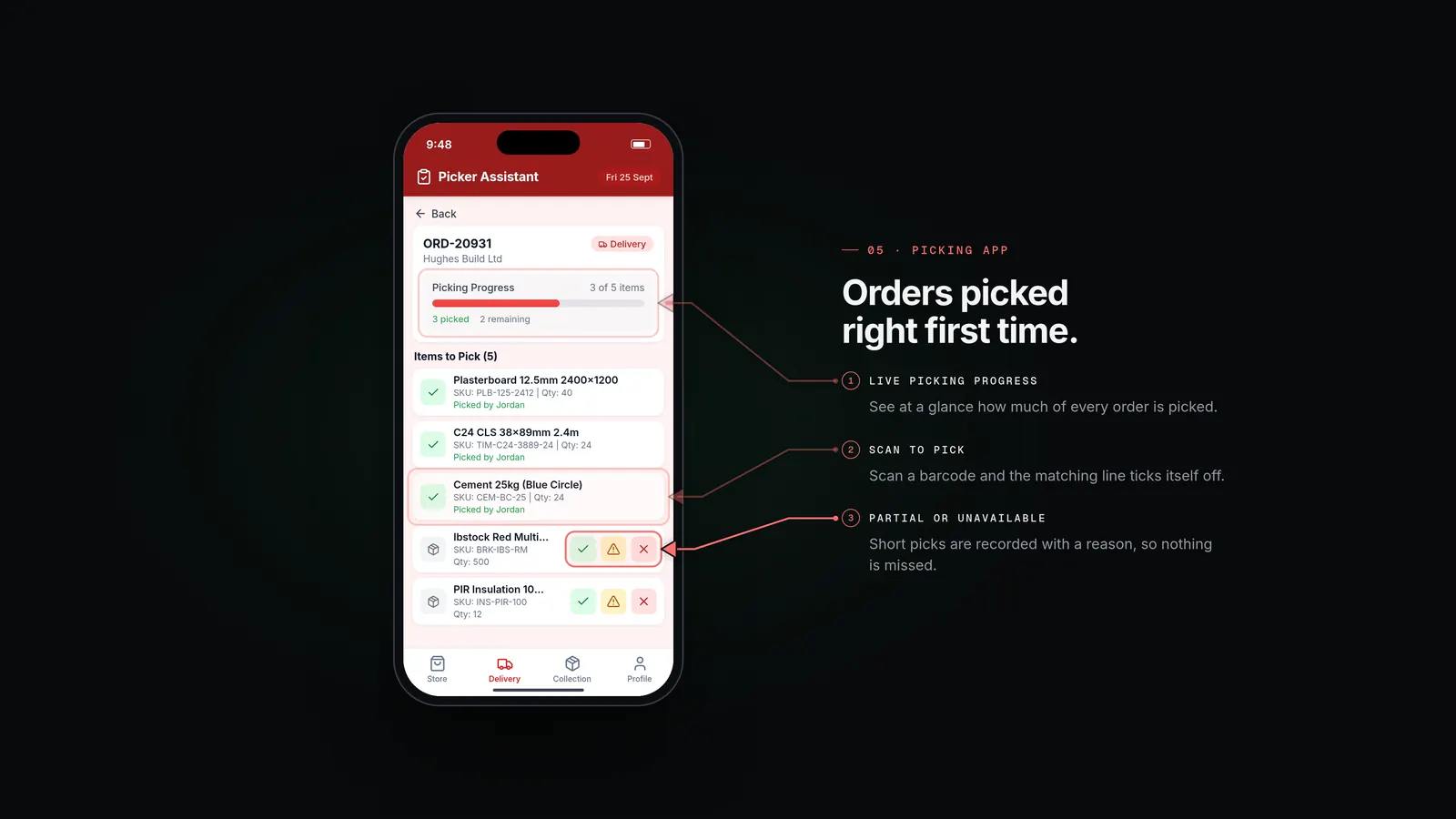
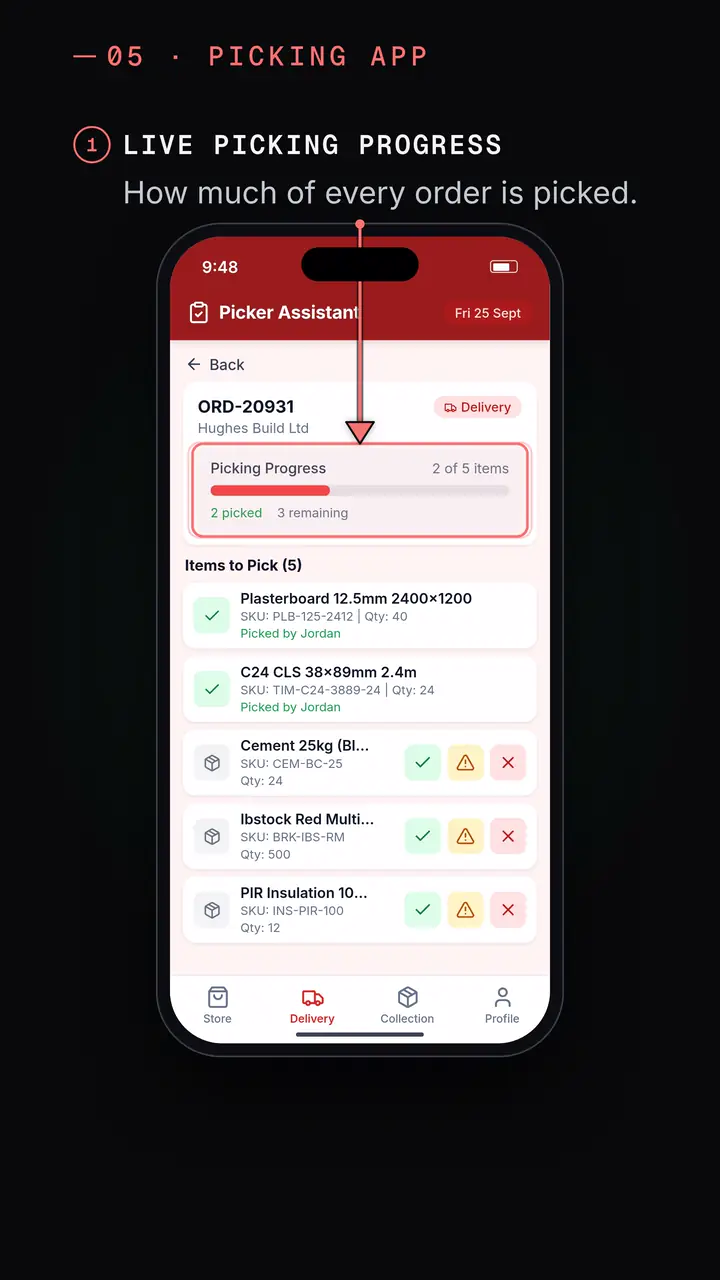
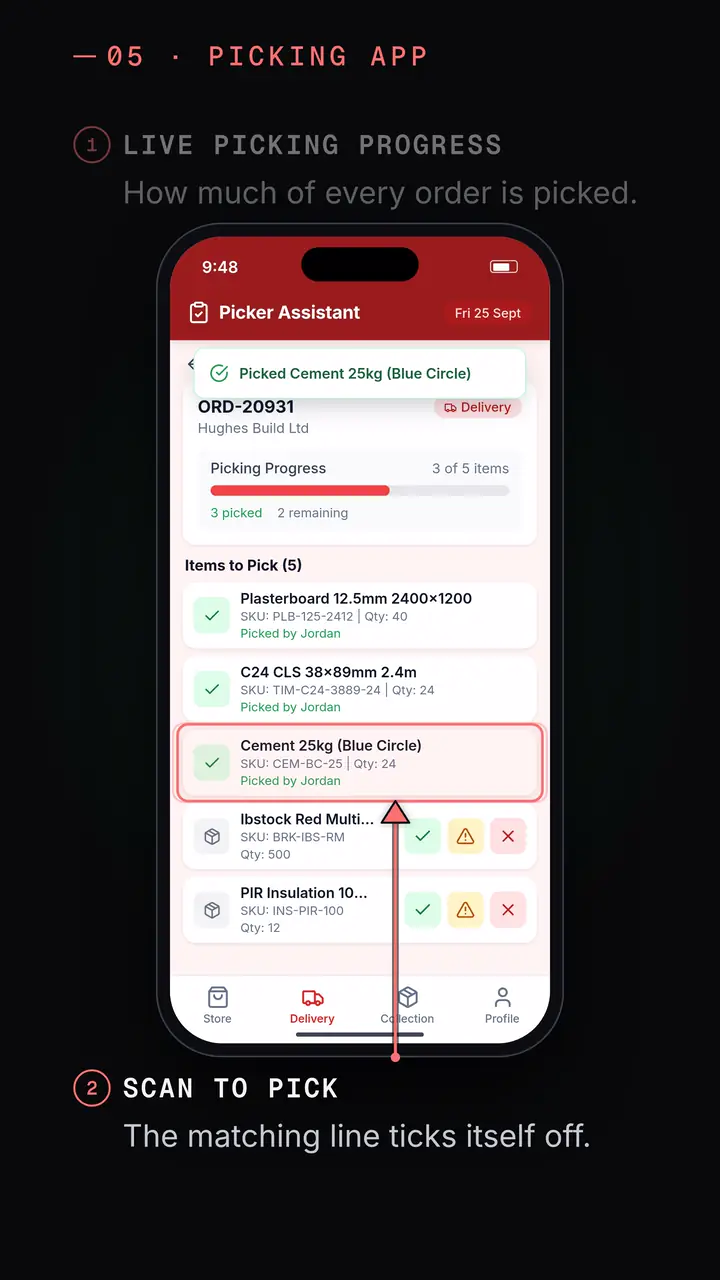
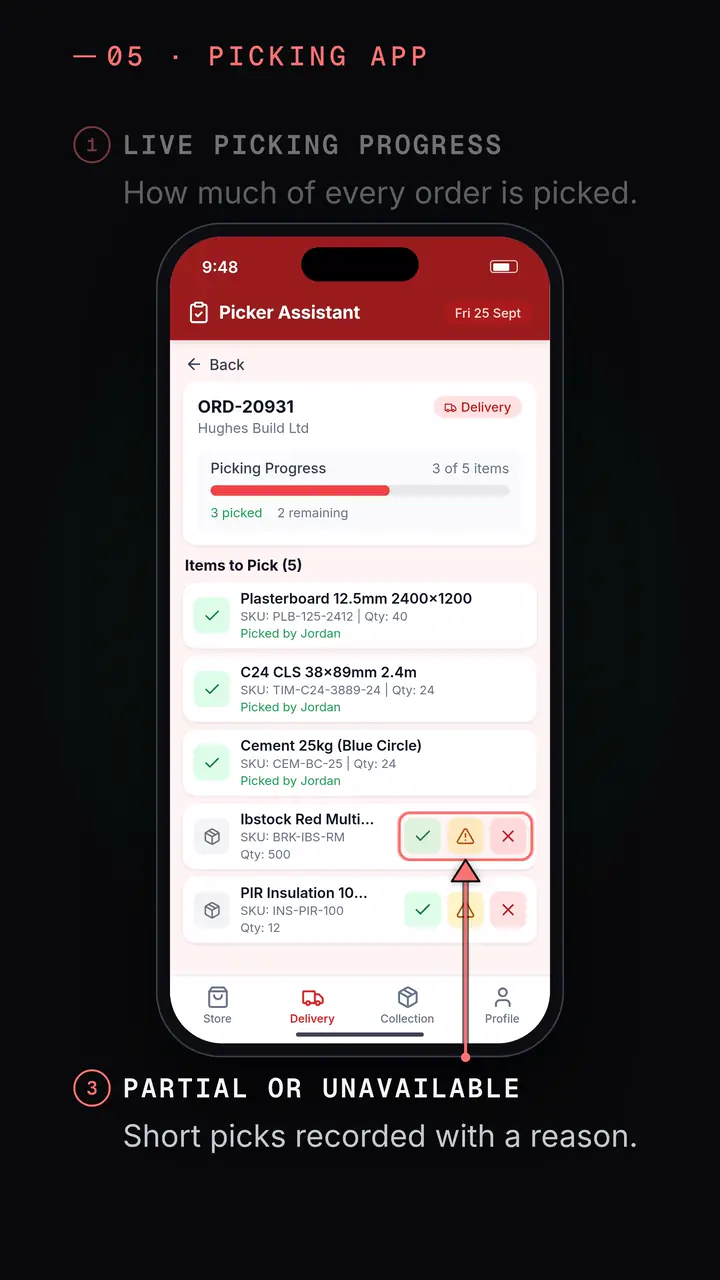
  8. The Picking app order screen, with callouts on picking progress, scan to pick, and partial or unavailable lines.
  1. A real UK builders merchant's yard, with timber racks. Engineered specifically for UK merchants.
  2. The same yard as a glowing digital twin: every product in your yard, made digital.
  3. The digital yard streams into a laptop that shows a sync screen: downloaded into one application.
  4. Dashboard, close up on the quick actions: one click to the PoS, products, orders and deliveries.
  5. Dashboard, close up on Today's Revenue: trading as it happens.
  6. Dashboard, close up on the Today's Deliveries map: every route, fed by the Drivers app.
  7. Dashboard, close up on the out-of-stock and low-stock card: stock alerts.
  8. Top 100 Products report, close up on profit: net of VAT, with margin.
  9. Top 100 Products report, close up on the top 10 chart: top sellers, ranked.
  10. Drivers app stop screen: one-tap navigation to the customer's address.
  11. Drivers app stop screen: the delivery time window and ETA.
  12. Drivers app stop screen: proof of delivery with photos and a signature.
  13. Inventory app: scan a barcode or photograph a label to find a product.
  14. Inventory app: low stock flagged on the product.
  15. Inventory app: adjust stock at a location, with the reason recorded.
  16. Picking app: live picking progress for the order.
  17. Picking app: a scanned line ticks itself off.
  18. Picking app: mark a line partial or unavailable, with a reason.
Builders merchant software

The whole merchant, one login

The account price, the van and the shop are one order. Counter, credit, vans and the shop, for a builders merchant in the United Kingdom.

One sale, from the counter to the books

The till prices the account. The sale writes the order and the stock. The office plans the round. The driver completes it. The customer opens the tracking link. When Xero is connected, the bookkeeper receives the invoice, the payment and the credit note.

Your own AI can see the yard. Ask about orders, or drop a supplier invoice on the system. A per-piece price comes back. You do not paste the yard into a chatbot. Built so the yard and the assistant are the same system. Ask this store.

What a team pays

Shop prices are ex-VAT. VAT is added on the line. The subscription is not labelled ex-VAT or inc-VAT. Add-ons are extra.

What the opening film shows

The film starts on a builders merchant's yard, with timber racks and pallets of bricks. The same yard turns into a digital twin, and that picture is downloaded into one application.

It then shows the dashboard, with today's revenue, the deliveries map and stock alerts, and the Top 100 products report, with profit net of VAT. On the phone it shows the drivers app, with navigation and proof of delivery, the inventory app, with scanning and a stock adjustment, and the picking app, with progress and a short pick.

Every system in this login

A merchant would otherwise buy each of these. They are one product. A person signed in to one store does not get the next store's orders.

  • Trade counter. The account price is on the till, and a web order is not typed in again.
  • Estimates and proformas. The estimate you emailed is the basket that becomes the sale, and a proforma holds the stock.
  • Order-in. A special still gets a price, terms, a document and a delivery.
  • Card payments. One sale can take the card and the account.
  • Trade pricing. Floor, two trade tiers, retail and a custom price, from cost, on the counter and the site.
  • Pricing Library. Supplier invoices become a per-piece price, and the cheapest supplier is marked.
  • Credit. The limit credit control agreed is the limit the till enforces.
  • Catalogue, stock and purchasing. Available to sell is not what is on the shelf, and the purchase order uses that supplier's rate.
  • Inventory Assistant. Goods-in and the count happen in the yard, against the purchase order.
  • Picker Assistant. Shop, delivery and collection are three queues, and a shortage is recorded before the van is loaded.
  • Deliveries. The round is packed by kilogrammes. A Moffett job is not given a van without one.
  • Proof of delivery. Photo, signature and a position, and the customer has a link.
  • Fleet. MOT, tax, insurance, the licence and the daily check sit next to the delivery book.
  • The shop. A guest sees retail. A trade account sees its own price.
  • Website builder. Ordinary pages change without a developer, on the same shop as the till.
  • Your own domain. The shop and customer sign-in answer on your name.
  • Customer portal. An account customer orders at their price and downloads the invoice.
  • Marketing. The list is your own customers. Email, a text or WhatsApp.
  • Reports. Margin is on the screen the same day, ex-VAT, from the sale.
  • Xero. The bookkeeper receives the invoice, the payment and the credit note.
  • WooCommerce. The catalogue you already have does not have to be typed in on day one.
  • Aura. It answers from this store. It drafts. A person still publishes.
  • Your own agent. Claude, ChatGPT, Gemini, Grok, Cursor, Copilot, or one you built, with the Developer add-on.
  • Product Data Connector. A comparison service can read the catalogue you approved. It cannot see cost.
  • Developer API. An agency sees the HTML and CSS, and can hold a key for products, stock, orders and customers.
  • Staff and PINs. A new person starts with nothing ticked. A price under the floor asks for a PIN.
  • Documents. Invoice, estimate, proforma, receipt, credit note, refund, delivery note and picking list.
  • Dashboard and calendar. The morning screen is this store's trading, and a licence that is about to lapse is on the calendar.

Klipboard ERP One asks you to start a project

Of 6: AI Merchant includes 3 in the per-user price and 3 as published add-ons. Klipboard's pages advertise 1. Not advertised on the pages checked: 5. K8 is the old name. The full comparison is on the Klipboard page. Klipboard AI was announced on 9 March 2026, and they say it is inside the ERP, not a bolt-on. Your agent connects with the Developer add-on.

Six jobs against Klipboard ERP One
Monthly price

AI Merchant

Included.

The bands are on the pricing page.

https://aimerchant.co.uk/pricing Read 20 November 2026.

Klipboard ERP One

Not advertised.

The sales step is a form.

https://www.klipboard.com/products/erp-one Read 20 November 2026.

Start it yourself

AI Merchant

Included.

Create an account from the pricing page.

https://aimerchant.co.uk/pricing Read 20 November 2026.

Klipboard ERP One

Not advertised.

There is no checkout on the page.

https://www.klipboard.com/products/erp-one Read 20 November 2026.

Invoice best price

AI Merchant

Included.

A supplier invoice becomes a per-piece price.

Klipboard ERP One

Not advertised.

No best-price library on the pages checked.

https://www.klipboard.com/sectors/wholesale-distribution/builders-merchant Read 20 November 2026.

Driver proof

AI Merchant

Paid add-on.

The driver seat is priced with the product.

Klipboard ERP One

Included.

The builders page says ePOD and live delivery data.

https://www.klipboard.com/sectors/wholesale-distribution/builders-merchant Read 20 November 2026.

Shop you design

AI Merchant

Paid add-on.

The catalogue shop is in the same login.

Klipboard ERP One

Not advertised.

A designer and llms.txt are not on that page.

https://www.klipboard.com/products/erp-one Read 20 November 2026.

Your own agent

AI Merchant

Paid add-on.

The Developer add-on, £19.99 a month.

Klipboard ERP One

Not advertised.

They advertise Klipboard AI inside the ERP. No MCP on the pages opened.

https://www.klipboard.com/products/erp-one Read 20 November 2026.

Questions

What do I get in one login?

The counter, the credit limit, the vans, the shop and the books. A sale at the till is the same order in the yard, on the van, on the customer's phone and in Xero. You do not re-key it.

Can my own AI see the yard?

Yes. Ask about today's orders, stock and who owes you, in the same place you took the money. Drop a supplier invoice on the system and a per-piece price comes back. Your own agent connects with the Developer add-on, £19.99 a month. The assistant on the AI page is the place to start.

What does a team pay?

The driver seat, the builder, the domain, the portal and marketing are priced add-ons. Shop prices are ex-VAT. The subscription is not labelled ex-VAT or inc-VAT. The bands are on the pricing page.

Updated November 2026. Selling prices inside a store are ex-VAT.

See the price, then book a demo.

The more users you add, the less each new one costs. The first five people are £124.95 each a month. The next five are £94.95 each. Each person from the eleventh is £74.95. Thirteen people are £1,324.35 a month. Setup is £250 a person, once. As of November 2026.